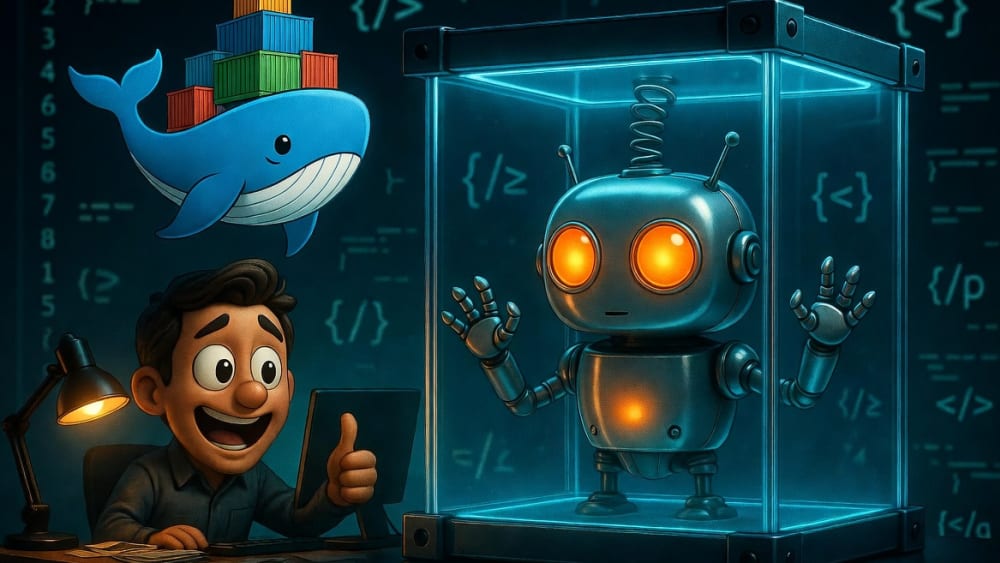
Run agentic AIs safely inside Docker
I was working on a project recently that required me to run claude --dangerously-skip-permissions. It turned out fine — this time. But I was low-key sweating the entire time. LLMs are stochastic. I was one bad agentic decision away from disaster. 1,000 things could’ve gone wrong from wiping my hard drive to exfiltrating my AWS secrets and racking up $90k in charges.
The fix: run Claude Code inside a Docker container. Same productivity. Contained blast radius.
And Claude Code isn’t alone here. The same logic applies to any agentic AI system that executes code or manipulates files on your machine — n8n, CrewAI, Openclaw, AutoGen, Aider, OpenHands. If an AI agent can touch your filesystem or run shell commands, it belongs in a container. We’ll use Claude Code as the example throughout, but the pattern is identical for all of them.
What Docker actually buys you
Docker builds a walled sandbox for your AI. Inside the container, Claude Code can do whatever it wants. Outside the container — your real machine — it can’t touch a thing unless you explicitly say so.
Instead of this:
Your Terminal → Claude Code → Your Entire Machine 😬You get this:
Your Terminal → Docker Container → Only What You MountedIf Claude goes sideways, you delete the container and start fresh. No drama, no data loss, no explanations to your team.
What Docker protects you from:
- Accidental deletion of files outside your project
- Runaway scripts that eat CPU or disk
- Claude touching your SSH keys, AWS credentials, or
.envsecrets
What Docker does NOT protect you from:
- Kernel-level exploits or sophisticated container escapes (rare, but real)
- Anything you explicitly mount into the container
For local development, it’s still a massive upgrade.
Prerequisites
You’ll need:
- Docker Desktop installed and running
- An
ANTHROPIC_API_KEYset in your shell environment
Verify Docker is running:
docker --version # eg. Docker version 29.x.x, build a5c7197Also create this directory once — it’s where Claude Code will persist its config between container runs:
mkdir -p ~/.claude-sandboxStep 1: Write the Dockerfile
Create a Dockerfile in a convenient location — a dedicated folder like ~/agent-sandbox/ works well. You don’t need to put it in your project.
FROM node:20-slim

# Install Claude Code globally
RUN npm install -g @anthropic-ai/claude-code

# This is where your project gets mounted
WORKDIR /workspace

# Run Claude Code by default
ENTRYPOINT ["claude"]
That’s it. No exotic base images. No extra tooling. Claude Code is a Node package, so a slim Node image is the right foundation.
Step 2: Build the image
From the folder containing your Dockerfile:
docker build -t agent-sandbox .The first build takes a minute or two — it’s pulling the base image and installing Claude Code. Subsequent builds are fast thanks to Docker’s layer cache.
Verify it built:
docker images agent-sandbox
# REPOSITORY           ID            DISK USAGE
# agent-sandbox:latest abc123def456  ~300MB
Step 3: Run it against your project
Now the key part: only mount the current folder, nothing else. And run as yourself, not root.
# macOS / Linux
docker run -it --rm \
  --user $(id -u):$(id -g) \
  -e HOME=/claude-home \
  -e ANTHROPIC_API_KEY="$ANTHROPIC_API_KEY" \
  -v ~/.claude-sandbox:/claude-home \
  -v "$(pwd)":/workspace \
  agent-sandbox \
  --dangerously-skip-permissions
Three things worth explaining here:
--user $(id -u):$(id -g) runs the container process as your exact user ID and group ID — not root. Any files Claude creates are owned by you and Claude Code won’t be able to delete anything you can’t.
-v ~/.claude-sandbox:/claude-home mounts a persistent directory from your host as the container’s home. Claude Code writes its config there on the first run and finds it on every run after — so the onboarding interview only happens the first time.
-e HOME=/claude-home tells Claude Code where that home directory is, since your user has no home directory baked into the container image.
Docker Desktop on Windows handles user mapping differently — omit --user and adjust the HOME mount path:
# Windows PowerShell
docker run -it --rm `
  -e HOME=/claude-home `
  -e ANTHROPIC_API_KEY="$env:ANTHROPIC_API_KEY" `
  -v "${env:USERPROFILE}\.claude-sandbox:/claude-home" `
  -v "${PWD}:/workspace" `
  agent-sandbox `
  --dangerously-skip-permissions
What each flag does:
| Flag | Purpose |
|---|---|
-it | Interactive terminal (required for Claude Code’s UI) |
--rm | Delete the container when you exit |
--user $(id -u):$(id -g) | Run as you, not root |
-e HOME=/claude-home | Tell Claude Code where its home directory is |
-v ~/.claude-sandbox:/claude-home | Persist Claude’s config across container runs |
-e ANTHROPIC_API_KEY | Pass your API key into the container |
-v "$(pwd)":/workspace | Mount your current project directory |
--dangerously-skip-permissions | Let Claude run without confirmation prompts |
Claude Code starts up inside the container as you, with your project files visible at /workspace. From Claude’s perspective, that’s its entire world.
Step 4: Lock it down further
Mount multiple directories — but only what you need
You can stack as many -v flags as you need. Each one is an explicit decision about what the agent can see.
docker run -it --rm \
  --user $(id -u):$(id -g) \
  -e HOME=/claude-home \
  -v ~/.claude-sandbox:/claude-home \
  -e ANTHROPIC_API_KEY="$ANTHROPIC_API_KEY" \
  -v "$(pwd)":/workspace \
  -v "$(pwd)/reference-docs":/docs:ro \
  -v "$(pwd)/shared-utils":/utils \
  agent-sandbox \
  --dangerously-skip-permissions
The :ro suffix makes a mount read-only inside the container. Use it on anything Claude should read but never modify — specs, design docs, reference implementations. Writable mounts get no suffix.
The rule: every
-vflag is a deliberate choice. If you didn’t add it, the agent can’t reach it.
Add resource limits (optional)
If you want to prevent a runaway process from hammering your machine, add --memory and --cpus:
docker run -it --rm \
  --memory 2g --cpus 2 \
  --user $(id -u):$(id -g) \
  -e HOME=/claude-home \
  -v ~/.claude-sandbox:/claude-home \
  -e ANTHROPIC_API_KEY="$ANTHROPIC_API_KEY" \
  -v "$(pwd)":/workspace \
  agent-sandbox \
  --dangerously-skip-permissions
Two CPUs and 2GB of RAM is plenty for Claude Code’s orchestration work. Skip these flags if you’re on a constrained machine or running a heavy build inside the container.
Step 5: Make it a shell alias
Typing that full docker run command every session gets old fast. Add an alias to your shell config.
# ~/.zshrc or ~/.bashrc
alias claude-safe='docker run -it --rm \
  --user $(id -u):$(id -g) \
  -e HOME=/claude-home \
  -v ~/.claude-sandbox:/claude-home \
  -e ANTHROPIC_API_KEY="$ANTHROPIC_API_KEY" \
  -v "$(pwd)":/workspace \
  agent-sandbox \
  --dangerously-skip-permissions'
Then log off and log on again. Or just reload:
source ~/.zshrcNow just run claude-safe from any project directory. Same experience as running Claude Code directly — just contained.
Other secrets
If Claude needs a credential (like an API key for a service you’re building against), pass it as a specific -e flag, not by mounting a secrets file.
# Good: explicit, scoped
docker run -it --rm \
  --user $(id -u):$(id -g) \
  -e HOME=/claude-home \
  -v ~/.claude-sandbox:/claude-home \
  -e ANTHROPIC_API_KEY="$ANTHROPIC_API_KEY" \
  -e STRIPE_SECRET_KEY="$STRIPE_SECRET_KEY" \
  -v "$(pwd)":/workspace \
  agent-sandbox \
  --dangerously-skip-permissions

# Bad: broad access to sensitive files
docker run -it --rm \
  -v ~/.aws:/root/.aws \        # ← don't do this
  -v "$(pwd)":/workspace \
  agent-sandbox \
  --dangerously-skip-permissions
Agent containers are disposable
This disposability is a feature, and a cool one. It means every session starts from a clean, known state. No accumulated weirdness.
The --rm flag handles teardown automatically when you exit Claude Code. If something feels off mid-session, just Ctrl+C and start a fresh container. You lose nothing — your project files are on the host, not inside the container.
Quick reference
# One-time setup
mkdir -p ~/.claude-sandbox
docker build -t agent-sandbox .   # run from ~/agent-sandbox/

# Run Claude Code in your current project (macOS/Linux)
docker run -it --rm \
  --user $(id -u):$(id -g) \
  -e HOME=/claude-home \
  -v ~/.claude-sandbox:/claude-home \
  -e ANTHROPIC_API_KEY="$ANTHROPIC_API_KEY" \
  -v "$(pwd)":/workspace \
  agent-sandbox \
  --dangerously-skip-permissions

# Run with additional mounts
docker run -it --rm \
  --user $(id -u):$(id -g) \
  -e HOME=/claude-home \
  -v ~/.claude-sandbox:/claude-home \
  -e ANTHROPIC_API_KEY="$ANTHROPIC_API_KEY" \
  -v "$(pwd)":/workspace \
  -v "$(pwd)/docs":/docs:ro \
  agent-sandbox \
  --dangerously-skip-permissions

# Run with resource limits
docker run -it --rm \
  --memory 2g --cpus 2 \
  --user $(id -u):$(id -g) \
  -e HOME=/claude-home \
  -v ~/.claude-sandbox:/claude-home \
  -e ANTHROPIC_API_KEY="$ANTHROPIC_API_KEY" \
  -v "$(pwd)":/workspace \
  agent-sandbox \
  --dangerously-skip-permissions

# Rebuild after Claude Code updates. Keeps it up to date.
docker build --no-cache -t agent-sandbox .
The --no-cache flag forces Docker to rebuild the container which in turn re-installs the latest version of @anthropic-ai/claude-code.
Docker changes the failure mode from “Claude destroyed my laptop and leaked my secrets” to “Claude did something weird inside a container I can delete.” That’s a trade worth making.
Set it up once. Run claude-safe anywhere. Move on.
Want help with Claude Code or any aspect of agentic AI? Reach out.